📂 CIFS (Common Internet File System)
📌 1. Overview
CIFS (Common Internet File System) is essentially a version of the SMB protocol. It’s used to share files and printers over a network, particularly in Windows environments. Think of it as SMB’s “internet-friendly” form that allows computers to access remote resources as if they were local.
- Family: Network file sharing protocol, part of the SMB family.
- Transport: Operates over TCP/IP (usually Port 445).
- Status: Older/Legacy version of SMB.
🎯 2. Purpose
- Remote Access: Enables access to files, folders, and printers on remote servers.
- Local Feel: Makes network resources appear as local drives (e.g., Z: Drive) to users.
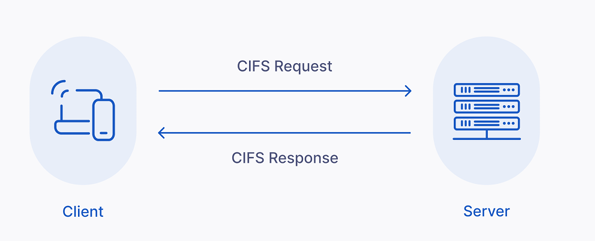
Architecture Flow
    +-------------+                            +-------------+
    |   Client    |                            |   Server    |
    | (Windows PC)|                            | (File Srvr) |
    +-------------+                            +-------------+
           |                                          |
           |                Network (LAN)             |
           +----------------------------------------> |
           |        Request File (\\Server\Share)     |
           |                                          |
           |          Response (File Content)         |
           | <----------------------------------------+
           |                                          |
💻 3. Compatibility
- Windows: Native support.
- Linux/macOS: Can access CIFS shares using
cifsorsmbtools (e.g.,mount.cifs).
🆚 4. Difference from SMB
| Feature | SMB | CIFS |
|---|---|---|
| Definition | Server Message Block (The Protocol Family). | Common Internet File System (A specific version of SMB). |
| Relationship | The underlying protocol. | An older, public version of SMB (SMBv1 era). |
| Usage | Modern systems use SMBv2 or SMBv3. | Legacy term, often used interchangeably but refers to the older standard. |
| Performance | Faster, Secure, WAN-optimized. | Slower, "Chatty", less secure. |
⚙️ 5. Typical Usage Example
Mounting a network folder on Linux
sudo mount -t cifs //ServerName/SharedFolder /mnt/mountpoint -o username=user📝 6. Notes
- Connectivity: Make sure the server is accessible on the network.
- Ports:
- 445: Direct TCP (Modern).
- 139: NetBIOS (Legacy).
- Security: Always use credentials for access.
- Recommendation: For modern systems, prefer SMB2/img/3 over CIFS for speed and security.
🏢 7. Where to use CIFS?
CIFS is used wherever you need network-based file or printer sharing, especially in environments with Windows or mixed operating systems.
1. File Sharing in Local Networks
- Access files on another computer or server over LAN.
- Example: Office shared drives, project folders.
2. Accessing NAS (Network-Attached Storage)
- Many NAS devices use CIFS/SMB to allow computers to mount storage.
- Example: Centralized storage for backups or media.
3. Printer Sharing
- Share printers over the network so multiple users can print without direct USB connection.
4. Cross-Platform Environments
- CIFS works across Windows, Linux, macOS.
5. Home Media Streaming
- Stream videos, music, photos from central server to TV/PC.
6. Enterprise Environments
- Centralized file servers (Home directories, Team folders).
Key Point: CIFS is mainly used within trusted networks (LANs or VPNs). Exposing CIFS directly to the internet is a security risk.
✅ 8. Benefits of CIFS
- Easy File Sharing: Access remote files without physical transfer (USB/Email).
- Cross-Platform: Works with Windows, Linux, macOS.
- Centralized Storage: Simplifies backups and management (NAS).
- Security: Supports authentication (User/Password) and permissions (Read/Write).
- Collaboration: Multiple users can edit files simultaneously.
- Printer Sharing: Reduces hardware costs.
- Windows Integration: Seamless with Active Directory and mapped drives.
💡 Hinglish Explanation
CIFS kya hai?
- Hinglish: CIFS bas SMB ka purana naam/version hai.
- Analogy: Jaise "Bombay" aur "Mumbai". Cheez wahi hai, bas naya naam aur version better hai (SMBv2/v3).
- Usage: Jab hum network pe folder share karte hain taaki doosra banda access kar sake, usse CIFS/SMB kehte hain.