🎭 Subnet Mask: The Complete Guide
📌 Definition
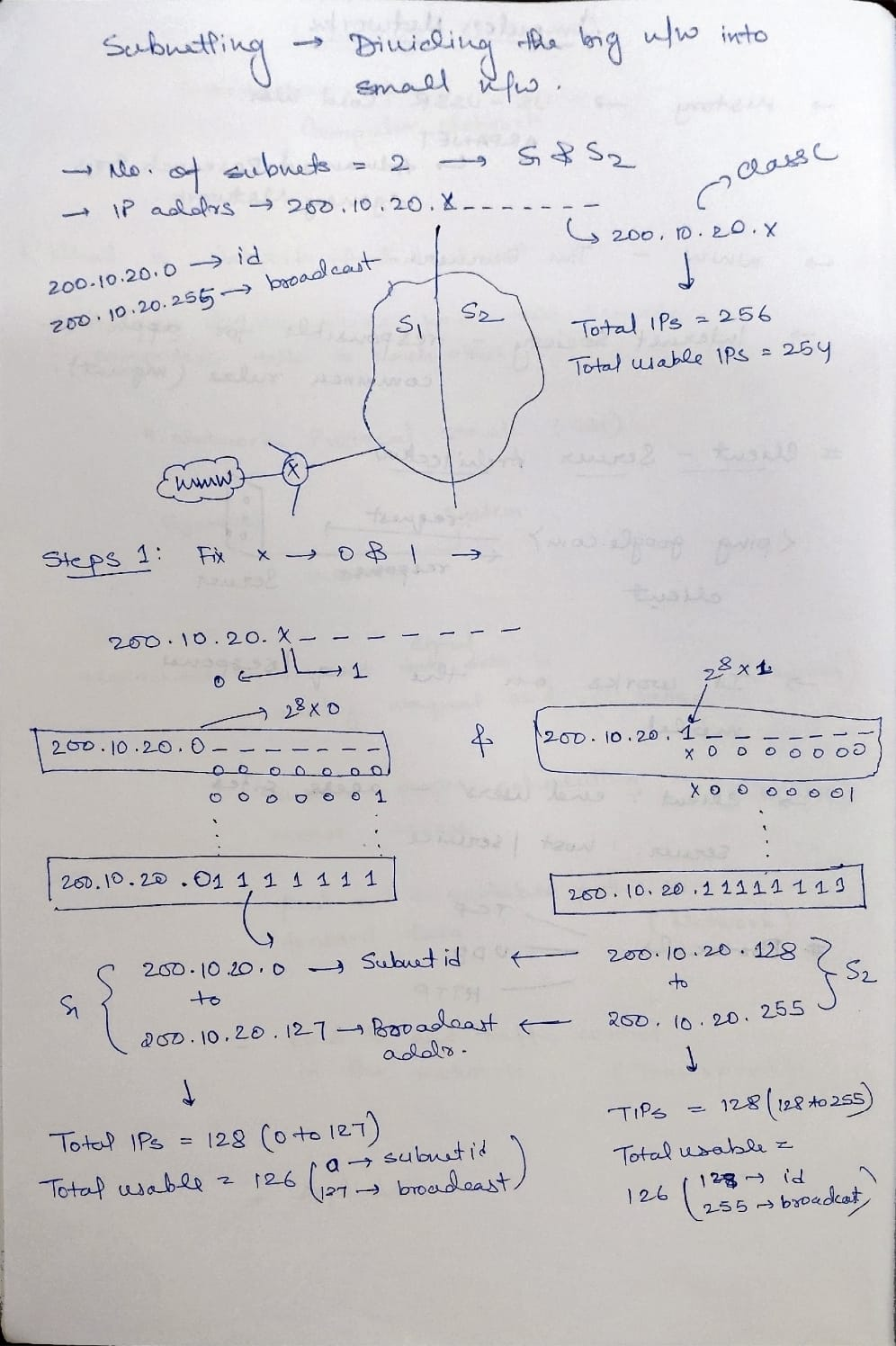
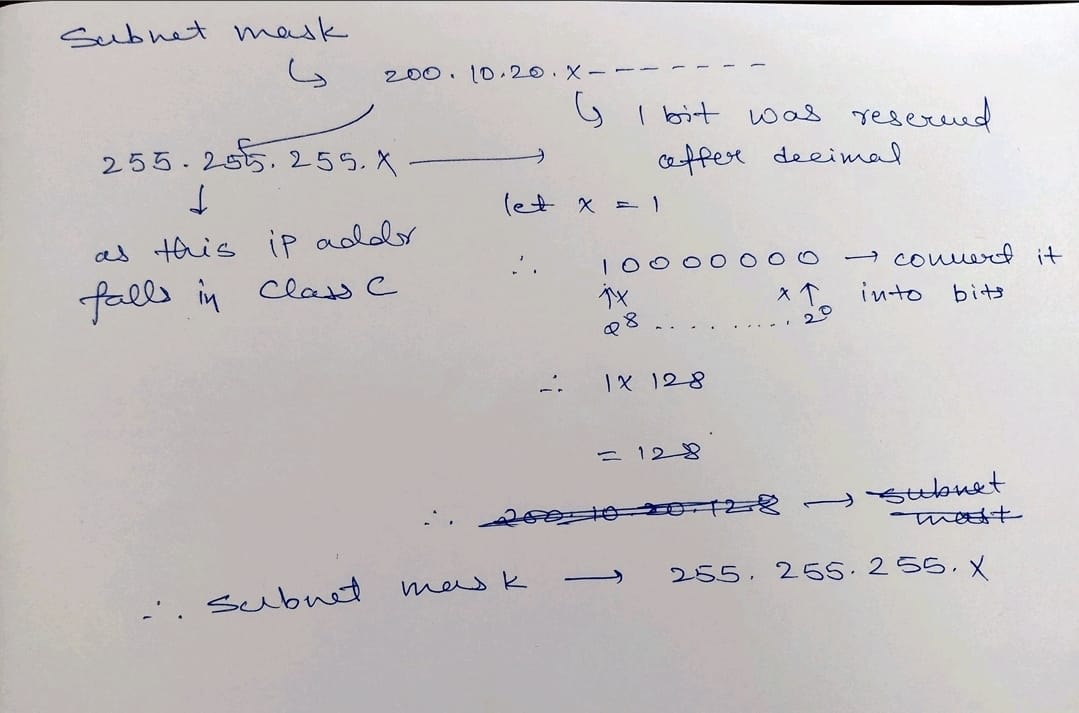
A Subnet Mask is a 32-bit number that accompanies an IP address. It has one specific job: To tell the computer which part of the IP address is the "Network" and which part is the "Host".
Without a Subnet Mask, an IP address is just a meaningless string of numbers. The mask gives it context.
⚡ How It Works (The Logic)
The Subnet Mask works like a filter (or a mask) using Binary logic.
- 1s (Ones): These represent the Network Portion. These bits are LOCKED. You cannot change them.
- 0s (Zeros): These represent the Host Portion. These bits are OPEN. You can assign these to your computers.
Binary Visualization
Let's look at a standard Class C mask: 255.255.255.0
| Format | Octet 1 | Octet 2 | Octet 3 | Octet 4 |
|---|---|---|---|---|
| Decimal | 255 | 255 | 255 | 0 |
| Binary | 11111111 | 11111111 | 11111111 | 00000000 |
| Meaning | Network 🔒 | Network 🔒 | Network 🔒 | Host 🔓 |
What this tells the router:
"Any IP address that matches these first 3 octets is on MY LOCAL NETWORK. Anything else? Send it to the Gateway."
💡 Hinglish Analogy (The Painting Mask)
Imagine you are painting a wall, but you don't want to paint over the window frame. What do you do? You put Masking Tape on it.
- The IP Address: The Wall.
- The Subnet Mask: The Masking Tape.
- Network Bits (1s): Where the tape is applied. You CANNOT paint here. (Fixed).
- Host Bits (0s): Where the wall is exposed. You CAN paint here. (Variable).
"Jahan '1' hai wahan tape laga hai, kuch mat karo. Jahan '0' hai wahan tumhara raaj hai."
📦 Default Subnet Masks (Classes)
Before CIDR, we had Classes. These are still the default masks for these IP ranges.
| Class | Range Starts With | Default Mask | CIDR | Format |
|---|---|---|---|---|
| A | 1 - 126 | 255.0.0.0 | /8 | N.H.H.H |
| B | 128 - 191 | 255.255.0.0 | /16 | N.N.H.H |
| C | 192 - 223 | 255.255.255.0 | /24 | N.N.N.H |
🧮 How to Calculate Subnet Mask (Step-by-Step)
If someone gives you a CIDR (e.g., /26), how do you get the mask (255.255.255.192)?
Step 1: Find the "Interesting Octet"
Where does the CIDR number stop?
- /1 - /8: 1st Octet
- /9 - /16: 2nd Octet
- /17 - /24: 3rd Octet
- /25 - /32: 4th Octet
Example: /26 -> Falls in the 4th Octet (It's more than 24, less than 32).
So the first 3 octets are full (255.255.255.x).
Step 2: Calculate "On" Bits in that Octet
Subtract the previous boundary from your CIDR.
- Formula:
CIDR - 24(for 4th octet) - Math:
26 - 24 = 2 - So, the 4th octet has 2 bits turned ON. (
11000000)
Step 3: Add the Values
Use the Magic Table:| 128 | 64 | 32 | 16 | 8 | 4 | 2 | 1 |
- Add the first 2 values:
128 + 64 = 192.
Result: 255.255.255.192
My Handwritten Notes
⚡ Exam Tips
- ANDing: The Router performs a logical AND operation between the IP and the Mask to find the Network ID.
- Length: A Subnet Mask is ALWAYS 32 bits long.
- Contiguous 1s: A valid subnet mask must have a continuous stream of 1s followed by 0s. You cannot have
11011....