🖥️ Server Types: Web vs Mail Servers
📌 Overview
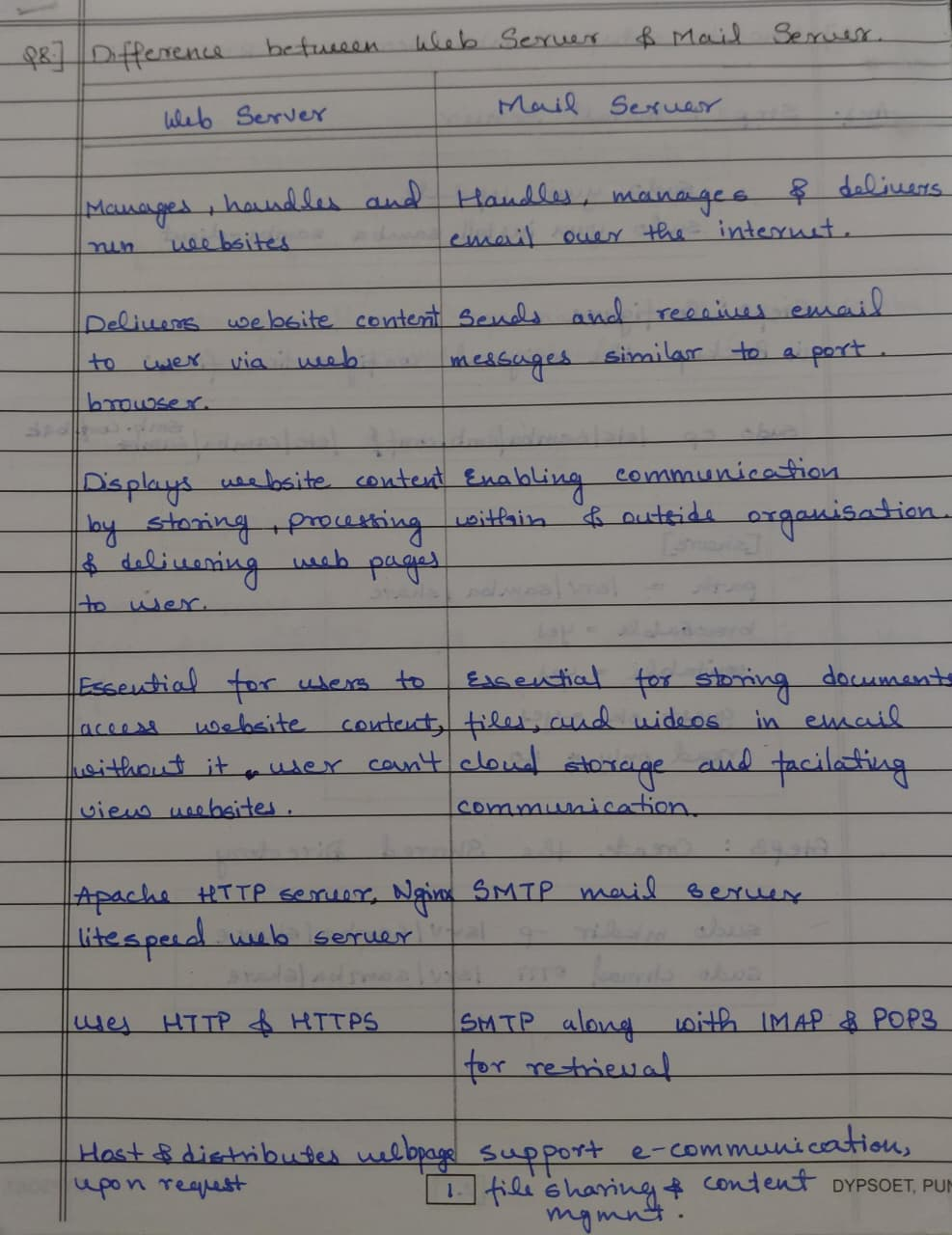
While all servers are computers that provide resources, they are specialized based on the Software they run and the Protocols they use.
🌐 1. Web Server
A Web Server stores, processes, and delivers web pages to clients (Browsers).
- Protocol: HTTP / HTTPS.
- Port: 80 / 443.
- Software Examples: Apache, Nginx, Microsoft IIS.
- Function: Receives a request (
GET /index.html) and sends back the file.
Architecture Flow
    [ User / Browser ]
           |
       (1) HTTP Request (GET www.google.com)
           |
           v
    [   Web Server   ] <---- [ HTML / CSS / JS Files ]
           |
       (2) HTTP Response (Here is the page)
           |
           v
    [ User / Browser ] (Renders the Page)
### Azure Context

- **Azure App Service**: A PaaS offering to host web servers without managing the OS.
- **Virtual Machines**: You can install IIS/Nginx on a VM (IaaS).

---

## 📧 2. Mail Server

A **Mail Server** handles the sending, receiving, and storage of emails. It functions like a digital Post Office.

### The Protocols Trio

1.  **SMTP (Simple Mail Transfer Protocol)**: Used for **SENDING** email. (Pusher).
2.  **POP3 (Post Office Protocol)**: Used for **RECEIVING** email. Downloads to device and deletes from server. (Old school).
3.  **IMAP (Internet Message Access Protocol)**: Used for **RECEIVING** email. Syncs across devices (Server keeps copy). (Modern).

### Architecture Flow

```text
    [ Sender (Outlook) ]
           |
       (1) SMTP (Send)
           |
           v
    [ Sender's Mail Server ]
           |
       (2) SMTP (Relay across Internet)
           |
           v
    [ Receiver's Mail Server ]
           |
       (3) IMAP / POP3 (Fetch)
           |
           v
    [ Receiver (Phone) ]
Azure Context ⚠️
- Outbound Port 25 Blocked: Azure blocks standard SMTP (Port 25) on VMs to prevent spam.
- Solution: You usually use 3rd party Relay Services like SendGrid or Office 365 to send mail from Azure.
💡 Hinglish Explanation
1. Web Server (Restaurant)
- Hinglish: Web Server ek Restaurant hai.
- Role: Tum (Browser) waiter ko order dete ho (Request), aur Kitchen (Server) khana banakar table pe lata hai (Response).
2. Mail Server (Post Office)
- Hinglish: Mail Server ek Post Office hai.
- SMTP (Postman): Tum letter box mein chitthi dalte ho, aur postman usse doosre shehar le jata hai.
- IMAP (Mailbox): Tumhara letter post office ke box mein rakha rehta hai, tum jab chaho aakar padh sakte ho.
⚡ Exam Tips for AZ-900
- Azure App Service: The easiest way to host a "Web Server" in Azure (PaaS).
- Port 25 Restriction: If an exam question asks why your VM cannot send email, it's because Outbound Port 25 is blocked. Use a Relay Service.